Getting started at an online casino should be straightforward‚ but it is worth checking the details before sharing personal information or depositing money. This guide explains how UK players can approach registration and login at BetBlast‚ what to verify about the site‚ and how to handle common account issues. Casino features and policies can change‚ so confirm the current terms directly on the operator’s website before taking action.
Before you register: check the essentials
Start by confirming that the casino is permitted to offer its services to customers in Great Britain. The UK Gambling Commission (UKGC) maintains a public register of licensed operators. Search for the company named in the site’s terms and conditions‚ rather than relying only on a logo or an advertising claim. Check that the licence covers the relevant website and that the operator’s legal name matches the information in its account and payment policies.
Read the rules that affect your account before signing up. Pay particular attention to age and identity checks‚ accepted payment methods‚ withdrawal conditions‚ bonus restrictions‚ and any stated limits. A promotion’s headline is not the whole offer: wagering requirements‚ maximum bet rules‚ eligible games‚ and expiry dates can affect whether bonus funds can be withdrawn.
Only use the official website address that you have independently verified. Be wary of sponsored links‚ messages promising guaranteed winnings‚ or pages that imitate a casino’s branding. A genuine registration should not require you to pay a separate fee to “unlock” a prize or provide a password or one-time code to someone contacting you.
How to create an account
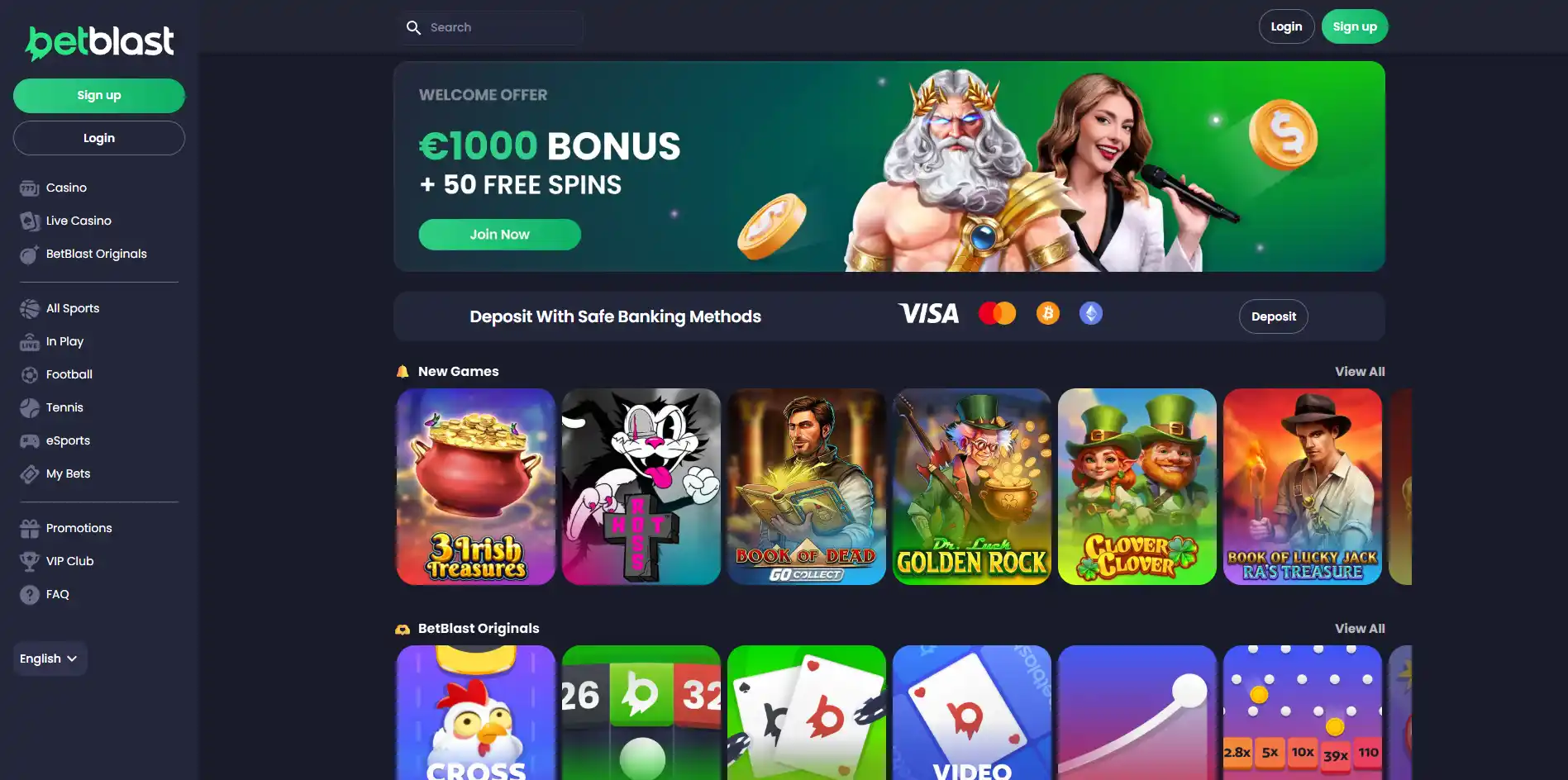
The exact layout may vary between desktop and mobile‚ but a typical online casino registration follows the steps below. If a field or policy differs‚ follow the current instructions displayed by the operator and its terms.
- Open the verified site. Check the web address and look for a secure connection before entering any details. A padlock alone does not prove a site is licensed‚ so verify the operator separately.
- Select the registration option. The button may be labelled “Register‚” “Join‚” or “Create account.” Avoid creating a second account if you already have one; duplicate-account rules can affect bonuses and withdrawals.
- Enter accurate personal information. You may be asked for your full name‚ date of birth‚ UK address‚ email address‚ and mobile number. Use your legal details and make sure they match the documents and payment method you may use later.
- Choose secure login details. Use a unique password that you do not use for email‚ banking‚ or other websites. If the casino offers additional account security‚ enable it.
- Review the terms and privacy information. Understand how the operator uses personal data‚ how to close an account‚ and what restrictions apply. Only accept marketing messages if you actually want them.
- Confirm your contact details. The site may send an email link or text message code. Use it only on the official site or app‚ and never share a verification code with another person.
- Complete checks when requested. The casino may need to verify age‚ identity‚ address‚ or payment ownership. Submit documents only through a secure account area or another channel confirmed by official support.
UK gambling businesses must take steps to prevent underage gambling and meet relevant customer verification and safer-gambling requirements. Some checks may happen before a first deposit; others can be requested later‚ including before a withdrawal. This is normal in regulated gambling‚ but you should contact the operator through its published support channels if a request seems unusual or asks for information unrelated to verification.
Logging in safely
Once your account is active‚ return through the verified website address or a genuine app listing‚ if one is available. Enter your registered email or username and password. Do not save credentials on a shared device‚ and log out when finished. On a personal device‚ a reputable password manager can help you create and store a unique password.
If the login page offers a “remember me” option‚ use it only on a device that you control. Keep your phone and email account secure as well‚ because they may be used for password resets or verification messages. Never give a caller‚ social-media account‚ or supposed support agent remote access to your device.
Forgotten password or locked account
Use the official “Forgot password” link and follow the instructions sent to your registered email or phone. If the reset message does not arrive‚ check your spam folder‚ confirm that you entered the right address‚ and wait briefly before requesting another code. Repeated attempts can sometimes trigger security controls.
If your account is locked‚ do not make another account to get around the restriction. Contact the casino using the support details listed on the verified site. Explain the issue without sending your password‚ full card details‚ or one-time codes. If you suspect someone else accessed your account‚ change the password from a secure device‚ protect the associated email account‚ and ask support to review recent account activity.
Deposits‚ withdrawals‚ and verification
Registration does not mean you should deposit immediately. First check the cashier for payment methods available to UK customers‚ minimum and maximum amounts‚ processing times‚ and any fees. Payment options can change and may depend on account checks. Use a payment method in your own name and keep a record of transactions.
Before accepting a bonus‚ read its full terms. A welcome offer may have wagering requirements‚ a time limit‚ restricted games‚ or a maximum withdrawal. If the conditions are unclear‚ ask support for a written explanation before opting in. Do not treat promotional balances as cash‚ and do not deposit more in an attempt to recover losses or meet a wagering target.
For withdrawals‚ the operator may request documents to confirm identity‚ address‚ or payment ownership. Follow the instructions in your account and submit clear‚ genuine documents through an approved secure channel; Avoid sending more information than requested. If a withdrawal is delayed‚ check the published processing times and ask support what specific step remains outstanding.
Account controls and responsible play
Set a budget before playing and decide how long you will spend. Use available deposit‚ loss‚ or session limits if they help you stay within that plan. These tools are not a guarantee against harm‚ so stop if gambling begins to affect your finances‚ work‚ relationships‚ or wellbeing. Do not borrow money to gamble or view a casino as a way to earn income.
UK-licensed operators must provide safer-gambling information and tools. Depending on the service‚ these may include time-outs‚ self-exclusion‚ reality checks‚ and access to gambling history. GAMSTOP is a free UK self-exclusion service covering online gambling businesses licensed in Great Britain. Read its terms to understand how registration works and which services it applies to. Support is also available from organisations such as GamCare and the National Gambling Helpline.
Quick account checklist
- Verify the operator and the relevant licence using the UKGC public register.
- Use the official site‚ accurate personal details‚ and a unique password.
- Read bonus‚ payment‚ privacy‚ and withdrawal terms before accepting an offer.
- Complete verification only through channels confirmed by the operator.
- Never share your password‚ payment security details‚ or verification codes.
- Set practical limits and use time-out or self-exclusion tools when needed.
Frequently asked questions
What information might I need to register?
Online casinos commonly ask for your name‚ date of birth‚ address‚ email‚ and phone number. The operator may also request identity or address documents to meet legal and account-security requirements. Check its current privacy notice to understand how submitted data is handled.
Why is my account asking for verification?
Verification helps a gambling operator confirm that a customer is old enough to gamble‚ that account details are accurate‚ and that payment activity meets its requirements. A check may occur during sign-up‚ when you deposit‚ or before a withdrawal. Contact official support if the reason or requested documents are unclear.
Can I create another account if I cannot log in?
Do not do so unless the operator explicitly instructs you. Multiple accounts may breach the site’s rules and complicate verification or withdrawals. Use password recovery or ask support to restore access to your existing account.
What should I do if I think my account has been compromised?
Change your password from a secure device‚ secure the email account linked to the casino‚ and contact the operator promptly. Ask it to secure the account and review activity. If you see unauthorised payments‚ contact your bank or payment provider through its official channels.
Final thoughts
A safe sign-up is about more than completing a form quickly. UK players should verify the operator‚ understand its rules‚ protect their login details‚ and know how to access account controls before depositing. Whether you encounter the name UkBetBlast Web in a search or recommendation‚ treat it as a search term rather than proof of a particular licence or affiliation. Confirm the actual operator and website independently‚ and only gamble if you are of legal age and can afford to lose the money you choose to spend.
What do you feel about this post?

Like

Love

Happy

Haha

Sad